
|
Norton AV CE 7.5 Settings Document - Internal |
| Jesse Burkhardt |
This is a document internal to skyBuilders. It describes the Norton AntiVirus Corporate Edition 7.5 settings that all Windows based systems should be using in our own shop. This existence of this document was necessitated to illustrate the importance of changing this application's default settings, some of which are so invasive as to compromise the general functioning of various servers and development machines.
To open the NAV application to configure you may click the System Tray icon or use the Start Bar: Start > Programs > Norton AntiVirus Corporate Edition > Norton AntiVirus Corporate Edition. The following interface will display.
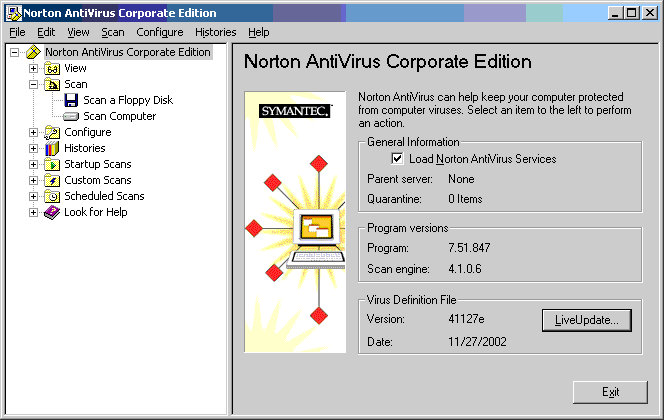
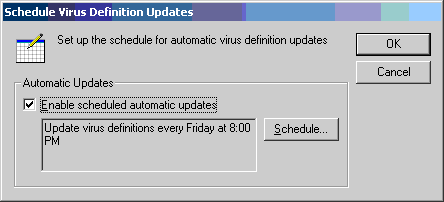
1.) Schedule Live Updates: Ensure that your Live Updates are scheduled. They should occur weekly over your internet connection. Unless some horrible virus has been released during the week the usual virus definitions update file is released every Friday by Symantec. Click File > Schedule Updates. (This should be configured by default, but you should check to make sure.)
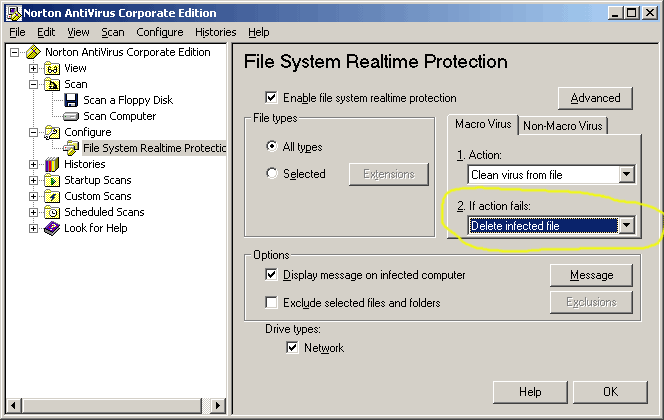
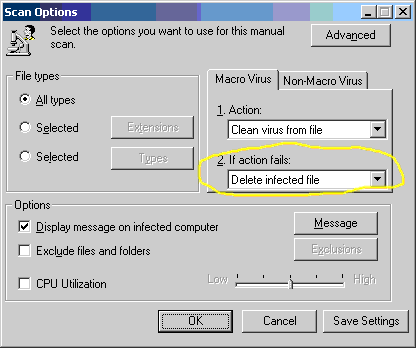
2.) File System Realtime Protection: This is necessary to protect your system as the state of you files change, such as when you download files through your browser or detach mail attachments. As a matter of practice, I strongly recommend that you also manually scan any files that you download or detach. Click Configure > File System Realtime Protection. First make sure to delete, not quarantine, files that cannot be repaired.
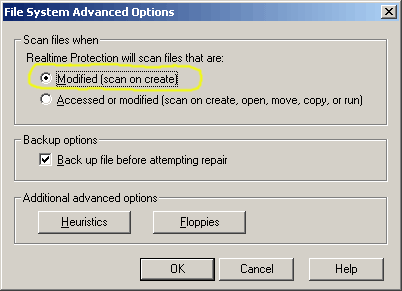
Secondly, click the Advanced button and change the default Access setting to Modified in the File System Advanced Options interface. If you do not change this your computer's CPU will become severely compromised.
3.) Scheduled Scans: Next you should schedule an overall disk scan of your system: Click Edit > New Scheduled Scan. First named the scheduled scan event. I have used "Scan-2am", as I believe this should happen in the middle of the night while usage is at a minimum.
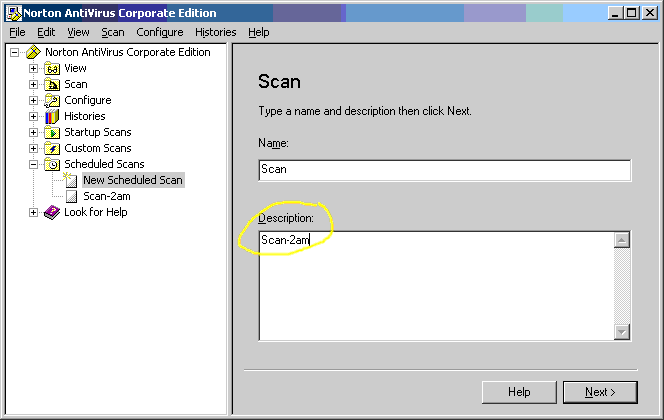
Click the Next button to actually schedule the scan.
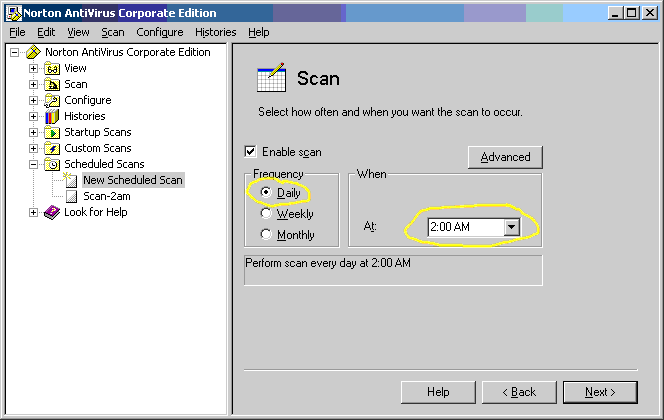
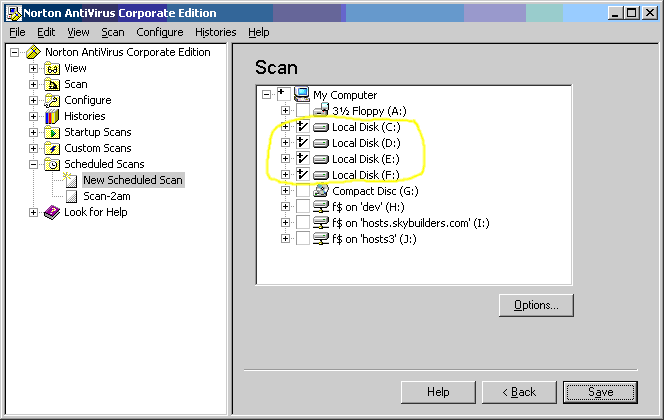
Now click the Next button and select only the hard drives local to your computer. Do not select any network drives locally mapped to your computer! Doing so will case an enormous strain on your LAN and associated systems.
Click the Options button to again select delete file as the fail action should the infected file be not able to be repaired.
Naturally, always click Save and OK buttons whenever you complete any of these configureation changes.

